Hi guys, I am Thridhar.I am a 13 yr old kid . And this is my first blog.
So today I am going to show you a tutorial to create a VPN connection in Windows OS.
Generally VPN is used to hide our identity.
We can also unblock regionally blocked sites.
It , to say in common words, fools government agencies and other tracking companies.
So, lets start the tutorial.
1.visit https://www.vpnbook.com/
2.
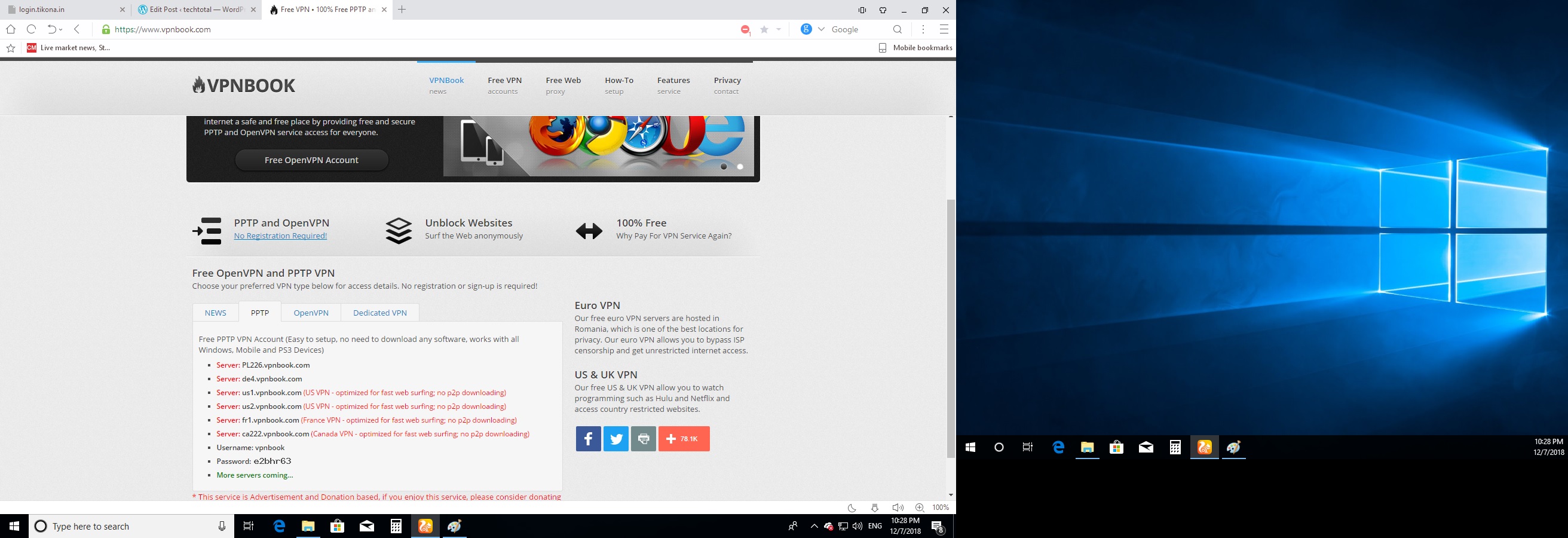
So , click on the option “PPTP” and copy the server without the ones that have red marking or something like that.Note:do not copy the ‘server’ word.
Now, go to control panel and search for network and sharing center.
Or you can open it directly.
then click on ”Set up a new connection or network”.
Then this windows appears.
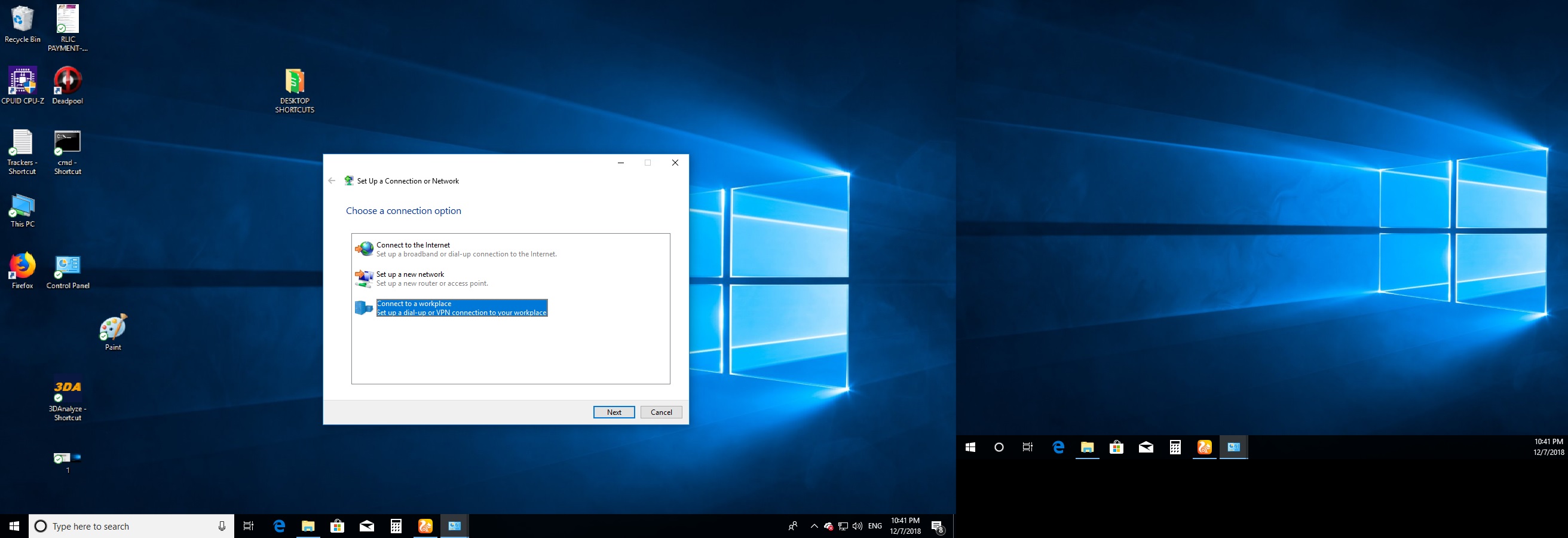
Click on connect to a workplace.
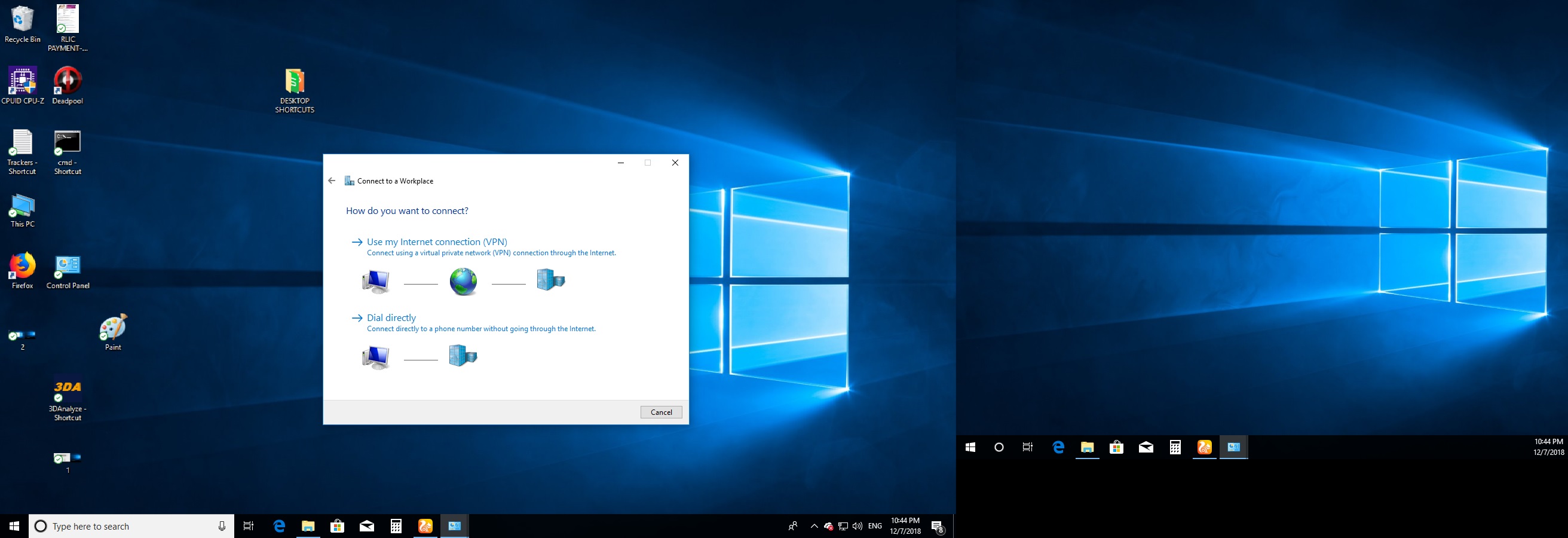
Click on the option with ‘VPN’
Now , open the vpnbook website that I said to you earlier.
Copy the link without red ones.
And paste it out here at the box of internet address.
And click next.
Done!
Instructions to use:
Take a look at the blocked site.

Now click on the network icon in the taskbar and connect to the “VPN Connection”.
The username and the password will be present after the line of the last server.
Fill the credentials and connect to it.
Dont forget to tick the option “Remember Credentials”.
Now lets visit the website.

And there it is .
You can also disconnect the VPN.
Better than Purchasing .Huh!
Goodbye.

 techtotal